← All workStar on GitHub105 / 06
Selected work 05
Keyboard
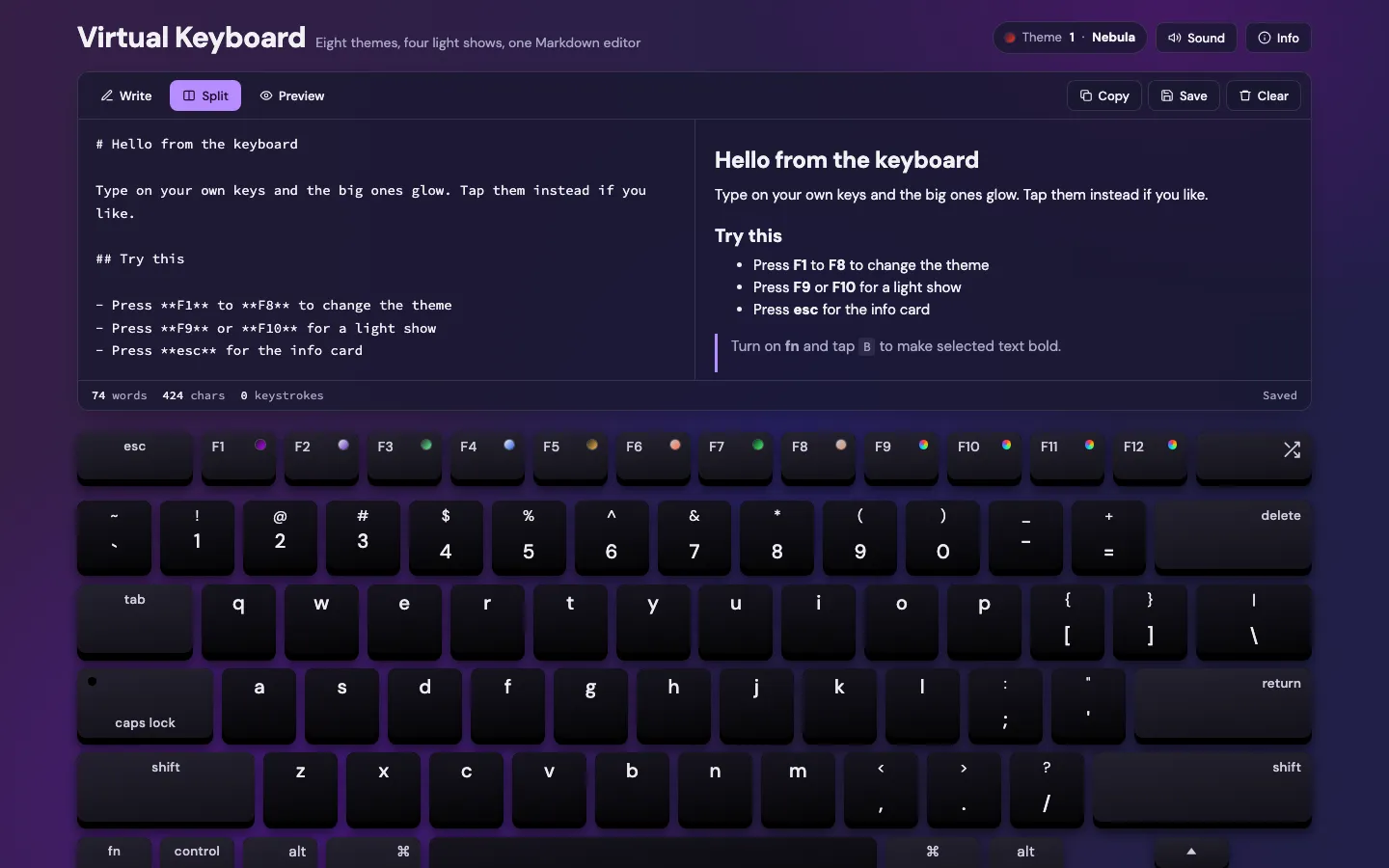
A virtual keyboard with eight themes and four light shows, paired with a Markdown editor that previews as you type.
- Released
- Jan 2023
- Type
- Interactive
- Stack
- HTML / CSS / JS / Marked
Why
I wanted to practise interaction states with something that reacts to clicks, taps and a real keyboard. The editor gives the keystrokes somewhere useful to go.
What it does
- A Mac-style layout that responds to clicks, taps and your real keyboard, with a shortcut for every theme and light show.
- A Markdown editor with Write, Split and Preview views.
- fn turns on Markdown shortcuts, so a labelled key adds a heading, bold, a link, a list or code.
- Word, character and keystroke counts, autosave and an optional click sound.
Hardest part
Making a keyboard of 60+ keys accessible: one Tab stop with arrow-key navigation, a screen reader name for every key, and AA contrast in all eight themes.
What I learned
- Keys from data: one layout definition drives the markup, labels and shortcuts, matched to presses with KeyboardEvent.code.
- Themes as CSS custom properties, applied before the first paint so there’s no flash of the wrong theme. New themes spread out from the key you pressed with the View Transitions API.
- On-screen typing through insertText, so undo still works.
- Light shows that only animate opacity and transform, so they stay smooth on phones.
- Web Audio for the click sound, so fast typing doesn’t cut it off.
Revisited
- Nov 2023: untangled the nested animation timeouts into helper functions.
- Oct 2026: redesigned, split into modules, added two light shows and an accessibility pass.